
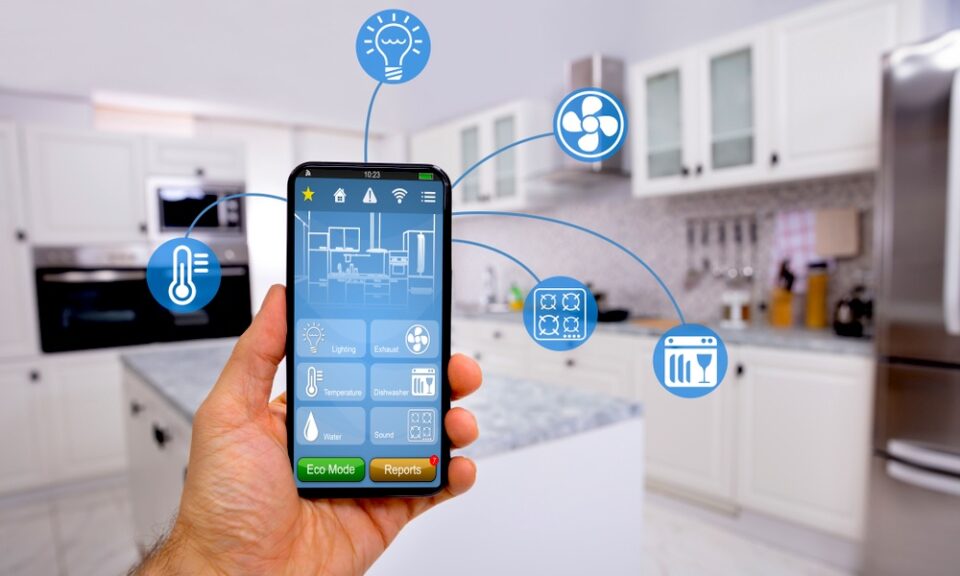
Smart homes are no longer a futuristic idea. Lights that turn on by voice, thermostats that learn your habits, and locks you can control from your phone are now everyday realities. Behind all this convenience sits something most people never think about: smart home protocols.
If that term sounds technical, don’t worry. This guide explains what smart home protocols are, why they matter, and how they affect your daily life—without drowning you in complex terminology.
What Is a Smart Home Protocol?
At its core, a smart home protocol is simply a way for devices to talk to each other.
Think of it like languages. If one device “speaks” a different language than another, they can’t communicate unless there’s a translator involved. Protocols are those shared languages that let your smart devices send and receive information smoothly.
Without protocols:
-
Your smart bulb wouldn’t know when to turn on
-
Your thermostat couldn’t react to temperature changes
-
Your phone wouldn’t control your home devices
Why Smart Home Protocols Matter
Smart home protocols are invisible, but their impact is huge. They influence how reliable, fast, and flexible your setup will be.
They affect:
-
Compatibility – Which devices work together
-
Speed – How quickly commands are carried out
-
Reliability – Whether devices stay connected
-
Security – How safely your data is handled
Choosing devices with the right protocol support can save you frustration later.
The Most Common Smart Home Protocols Explained Simply
You don’t need to memorize technical specs. Here’s a plain-English look at the most popular options.
Wi-Fi
Wi-Fi is the most familiar protocol because you already use it for phones and laptops.
Why people like it:
-
No extra hub needed
-
Easy to set up
-
Works well for cameras and voice assistants
Downside:
-
Too many devices can slow your network
Bluetooth
Bluetooth works over short distances and is common in simple smart devices.
Best for:
-
Smart locks
-
Wearables
-
Quick phone-to-device connections
Limitation:
-
Short range compared to other options
Zigbee
Zigbee creates a mesh network, meaning devices pass signals to each other.
Strengths:
-
Very reliable
-
Low power usage
-
Ideal for sensors and lighting
Consideration:
-
Usually needs a hub
Z-Wave
Z-Wave is similar to Zigbee but operates on a different frequency.
Why it stands out:
-
Less interference from Wi-Fi
-
Strong device compatibility
-
Stable performance
Trade-off:
-
Slightly higher device cost
What Is a Smart Home Hub?
A smart home hub acts like a translator. It allows devices using different protocols to work together under one system.
With a hub, you can:
-
Control everything from one app
-
Automate routines across brands
-
Reduce connection issues
Some smart homes work fine without a hub, but larger setups benefit greatly from having one.
How Protocols Affect Daily Use
Protocols don’t just live in the background—they shape your experience.
They influence:
-
How fast lights respond
-
Whether automations run smoothly
-
How often devices disconnect
-
How secure your system feels
A well-matched protocol setup often means fewer glitches and more reliable automation.
Choosing the Right Protocol for Your Home
You don’t need the “best” protocol—just the one that fits your needs.
Ask yourself:
-
Do I want simple setup or long-term scalability?
-
Am I adding a few devices or building a whole system?
-
Do I prefer plug-and-play or advanced automation?
For many households, a mix of protocols managed by a hub offers the best balance.
Future-Proofing Your Smart Home
Smart home technology keeps evolving, but protocols are becoming more unified. Newer standards aim to make devices easier to connect across brands, reducing the risk of buying something that won’t work later.
Smart buying habits include:
-
Choosing well-supported protocols
-
Avoiding locked-in ecosystems
-
Checking update and security support
Planning ahead keeps your smart home flexible for years to come.
Frequently Asked Questions
What happens if my smart devices use different protocols?
They usually won’t communicate directly, but a smart hub can bridge the gap and allow them to work together.
Do smart home protocols affect internet usage?
Some do. Wi-Fi devices rely heavily on your internet network, while others communicate locally and use less bandwidth.
Is one protocol more secure than others?
Security depends on how well a protocol is implemented and updated. Regular firmware updates matter more than the protocol itself.
Can I mix multiple protocols in one home?
Yes. Many smart homes use a combination of Wi-Fi, Zigbee, and Bluetooth devices without issues.
Do I need technical knowledge to set this up?
No. Most modern devices guide you step by step, and apps handle the technical work in the background.
Will older smart devices become obsolete?
Some may, especially if they stop receiving updates. Choosing widely adopted protocols helps reduce this risk.
Are smart home protocols changing in the future?
Yes. The industry is moving toward more unified standards that simplify setup and improve compatibility.